
Import your stock list
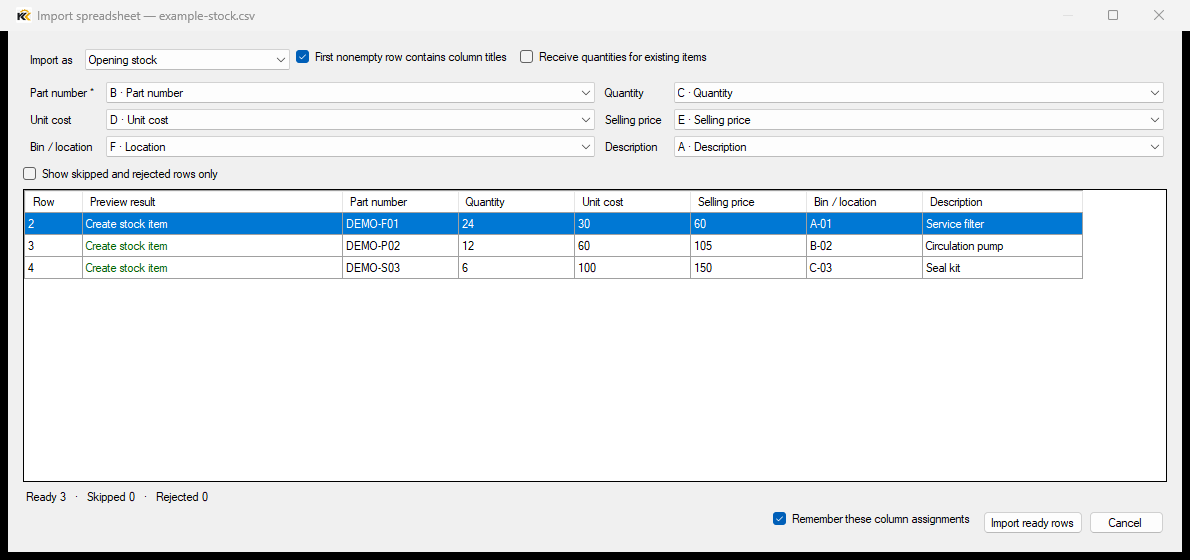
In Inventory, select Import file and choose an Excel, CSV or TSV file, or a Word document with a table. Choose Opening stock. Keep leading zeros when saving part numbers.
If your first row has column titles, tick the header option. Assign Part number and any columns for quantity, unit cost, selling price, location and description. Positive quantities need a unit cost. You can save the assignments for next time.
Check the ready, skipped and rejected rows in the preview. Existing stock receives quantities only if you select that option. Choose Import ready rows and compare the resulting stock with your source file.
Watch the walkthrough
English narration with subtitles.